Information
Important notice for SoundCloud users: Request to update rekordbox
If you use SoundCloud with rekordbox, you’ll need to do the following to continue DJing with music from the streaming platform:
- Update to the latest version of rekordbox
- Re-analyze SoundCloud tracks in your collection and reset cue points
Due to changes in SoundCloud’s audio file format, SoundCloud streaming tracks can no longer be loaded in earlier versions of rekordbox.
After updating to the latest version of rekordbox, grid and cue point settings you previously created for SoundCloud tracks may not be set correctly. If this is the case, please reanalyze the affected tracks and reset the cue points in the latest version of rekordbox.
Unfortunately, if you don’t update, you won’t be able to load SoundCloud tracks in rekordbox after June 30, 2026.
Affected rekordbox versions
All versions listed below, and earlier versions, are affected.
- rekordbox for Mac/Windows: Ver. 7.2.9
- rekordbox for iOS/Android: Ver. 4.6.1
How to check your current version and update
◆For rekordbox for Mac/Windows ver. 6 users
Download the installer for rekordbox for Mac/Windows ver. 7.
◆For rekordbox for Mac/Windows ver. 7 users
To check your current software version:
- Mac: rekordbox menu > About rekordbox
- Windows: Help > About rekordbox
To update to the latest version, open the [Help] menu in rekordbox and select [rekordbox Update Manager].
◆For rekordbox for iOS/Android users
You can check your current version by going to:
Settings > Support > Version Information
The latest version of rekordbox for iOS/Android can be downloaded for free from the App Store or Google Play.
How to reanalyze tracks
◆For rekordbox for Mac/Windows users
1: Select [Collection], then click the filter icon in the [Attribute] column and check [SoundCloud] to display only SoundCloud tracks.
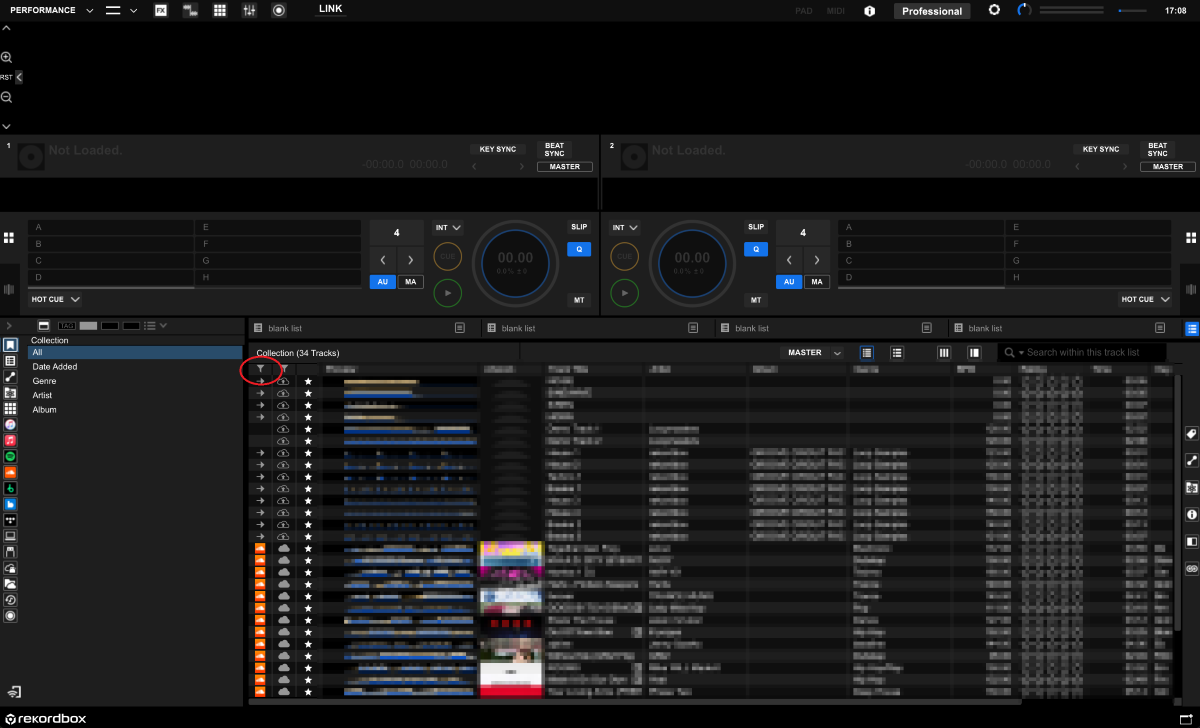
(Figure 1: Click the filter icon)
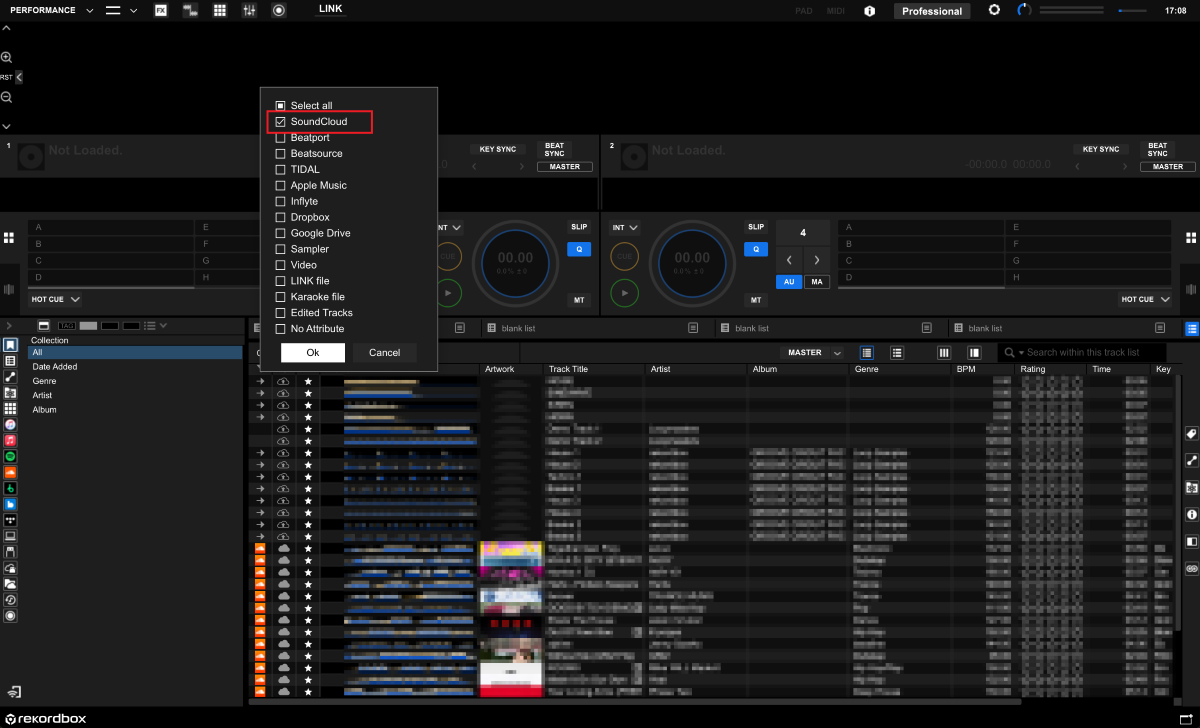
(Figure 2: Select SoundCloud only)
2: Select the tracks you want to reanalyze, right-click to open the context menu, select [Analyze Track], then click [OK].
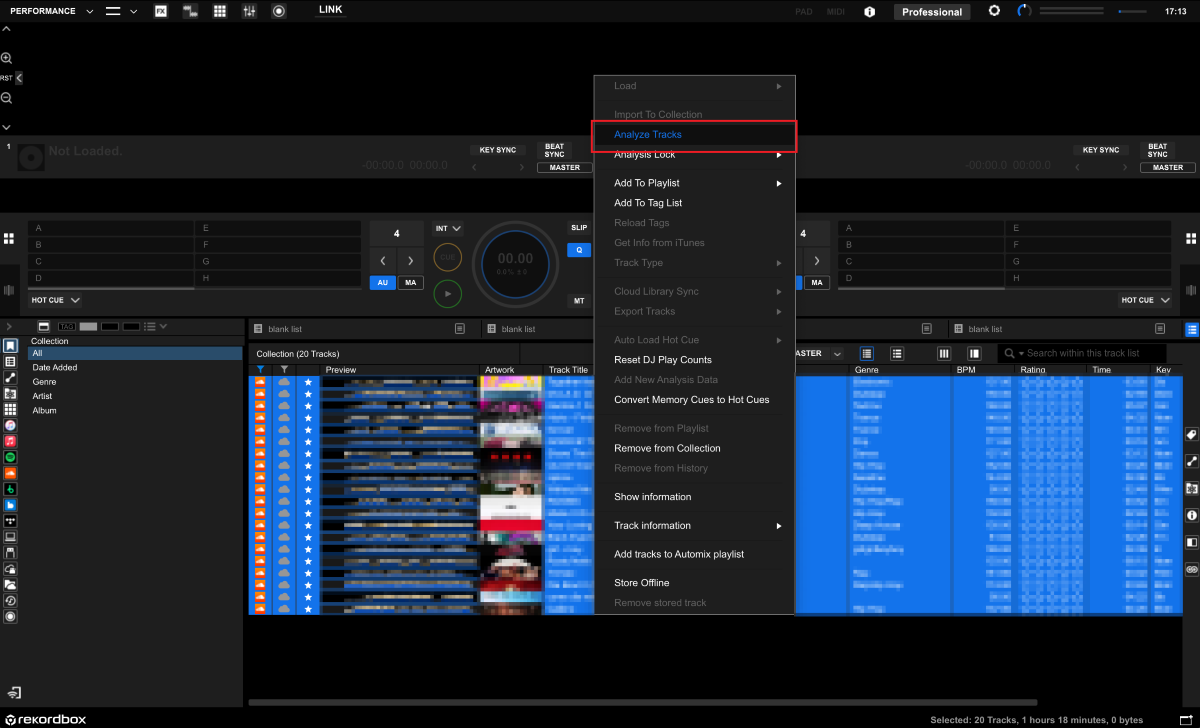
(Figure 3: Select tracks and right-click,
then choose [Analyze Track])
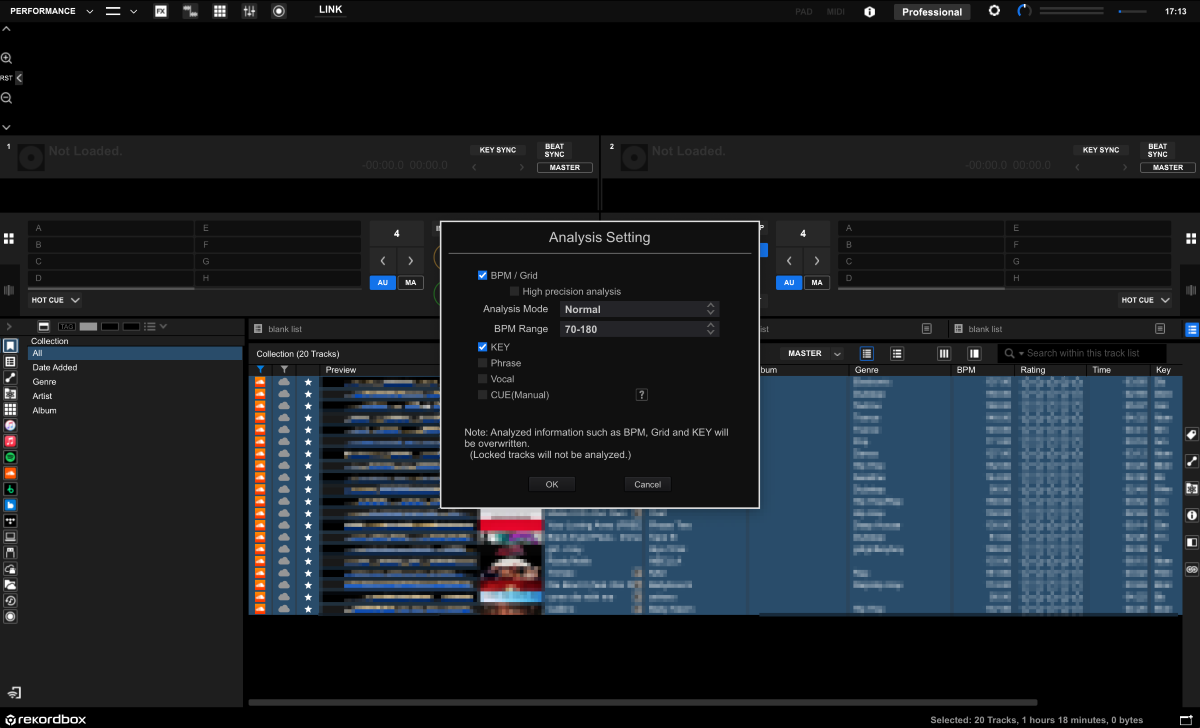
(Figure 4: Click [OK] to execute)
◆For rekordbox for iOS users
Refer to the following page for instructions on reanalyzing tracks from a streaming service in rekordbox for iOS.
◆For rekordbox for Android users
Refer to the following page for instructions on reanalyzing tracks from a streaming service in rekordbox for Android.
About cue points (Hot Cues and Memory Cues)
Due to changes in SoundCloud’s audio file format, existing cue points may not be set correctly. After reanalyzing the tracks, please delete the existing cue points and set them again.
We apologize for any inconvenience this may cause.
If you have any questions, please contact our [Support Center].
Thank you for your continued support of AlphaTheta products.