Information
IMPORTANT UPDATE: Regarding rekordbox ver. 7.2.12 (released March 17, 2026)
We have identified an issue with the USB export function in rekordbox ver. 7.2.12.
To address this, we have temporarily withdrawn this version from distribution while we work on a fix.
What’s happening?
In some cases, tracks exported to a USB device using rekordbox ver, 7.2.12 may not load correctly on AlphaTheta and Pioneer DJ hardware.
What we recommend?
To avoid any disruption:
- Please do not use the USB export function in rekordbox ver 7.2.12
- We recommend downgrading to rekordbox ver.7.2.11 for a stable experience
- You can download the previous version here: https://rekordbox.com/en/download/
Who this affects?
- This only impacts users who have used USB export in ver 7.2.12
- If you haven’t used this function, no action is required
Check if you’re affected
If you’ve used USB export in ver 7.2.12:
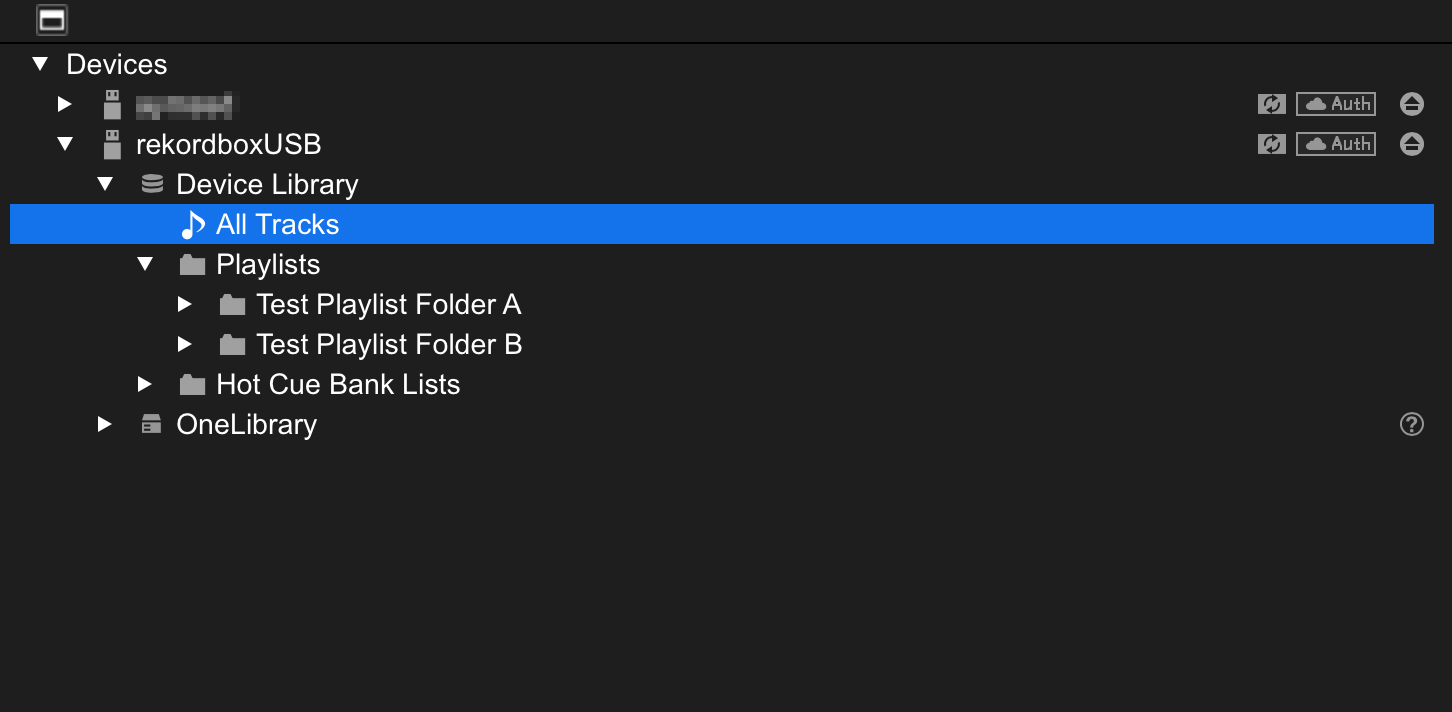
1. Open your USB device and display the track list via: USB > Device Library > All Tracks
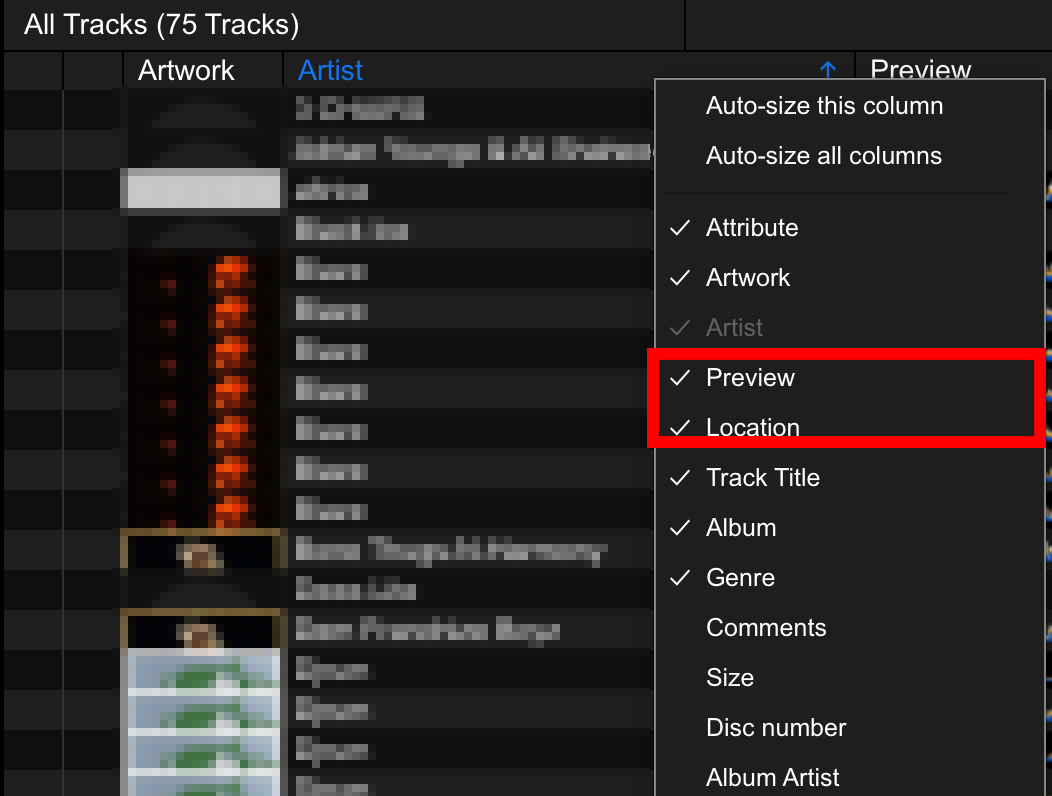
2. Right-click on the column area (e.g., track title or artist), then enable “Preview” and “Location.”
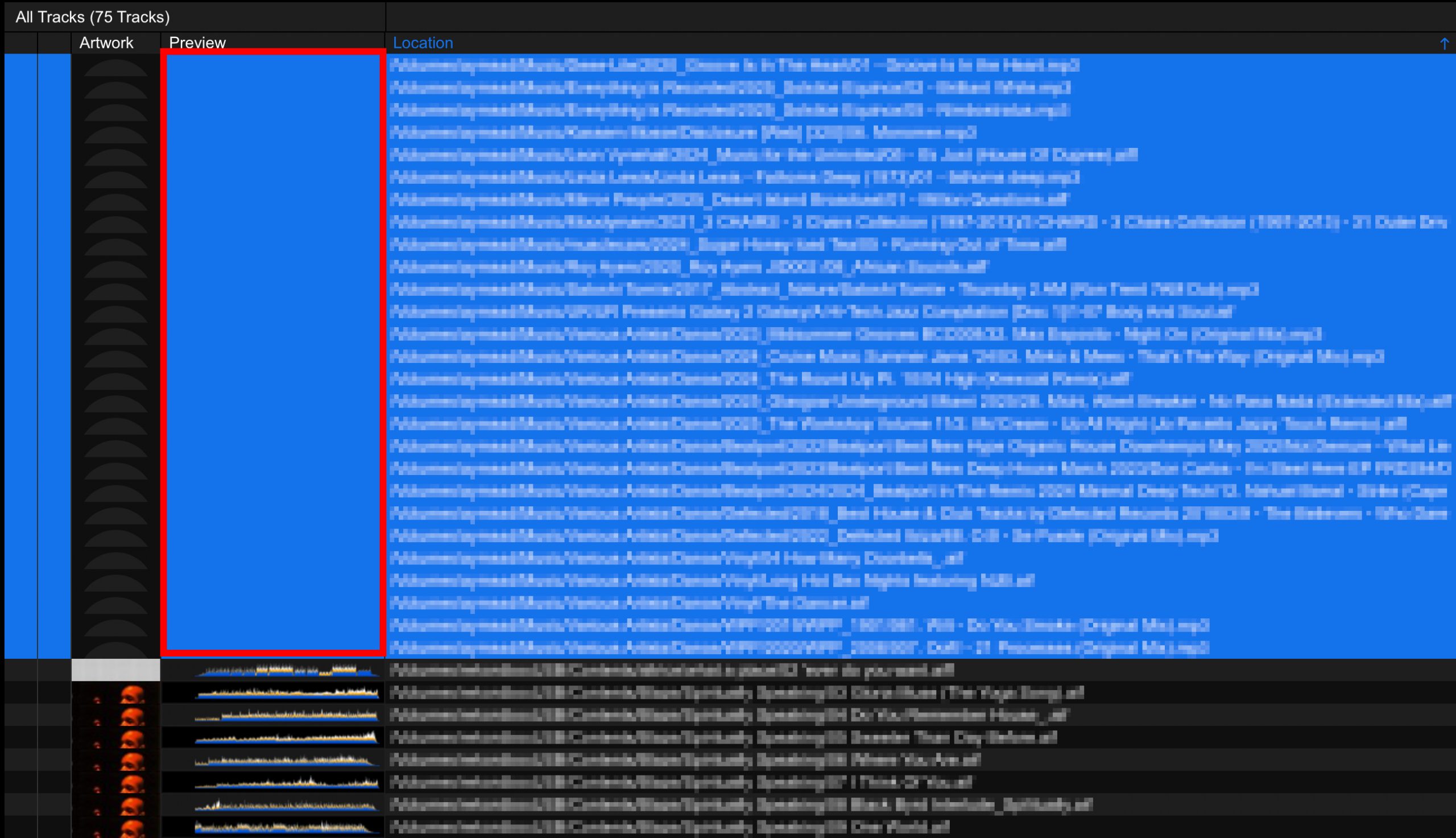
3. Sort by “Location.” Any tracks that do not display a waveform in the “Preview” column are affected and will require recovery.
How to fix affected tracks
If any tracks do not display a preview in the steps above, please follow the instructions below:
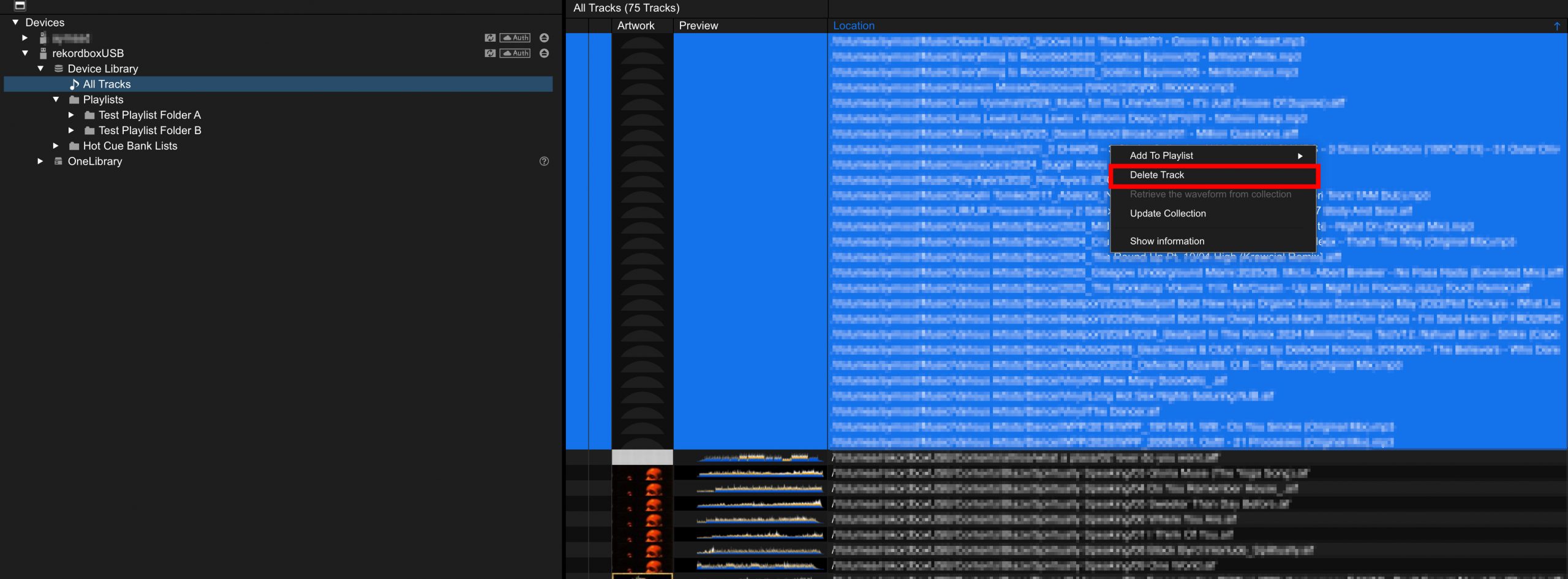
1. From USB > Device Library > All Tracks, delete the tracks on the USB device that do not display a preview.
2.Re-export the playlist(s) you would like to use from rekordbox.
Once completed, you can use the USB device again with our DJ equipment as usual.
What we’re doing
We are actively investigating the root cause and prioritizing a fix. We remain committed and are continuing to strengthen our internal testing and development processes to ensure issues like this are detected and addressed before release.
We apologize for the inconvenience caused and we appreciate your patience.