Set the tone with pointblank’s DJ programmes – and sharpen your skills with rekordbox

We’ve partnered with pointblank music school to bring you a selection of free rekordbox training videos – giving you a glimpse into the kind of expert-led DJ education pointblank music school is known for. Whether you’re mixing your first track or refining your club set, these lessons will help take your skills to the next level.

Whether you’re just starting out or looking to refine your skills, pointblank music school offers a range of DJ and music production courses to suit your goals – from flexible online programmes to in-person training in London, LA, and Ibiza. You’ll learn everything from beatmatching and FX to composition and live performance, using AlphaTheta/Pioneer DJ setups and guided by expert lecturers.
As a student, you’ll also join a global community of DJs and producers - with alumni including Patrick Topping, Nicole Moudaber, Felix Jaehn, Claude VonStroke, Florentia, DJ Friction, and Nathan Barato - and gain access to regular industry networking events, performance opportunities, and showcase sessions.

For more information, please visit www.pointblankmusicschool.com
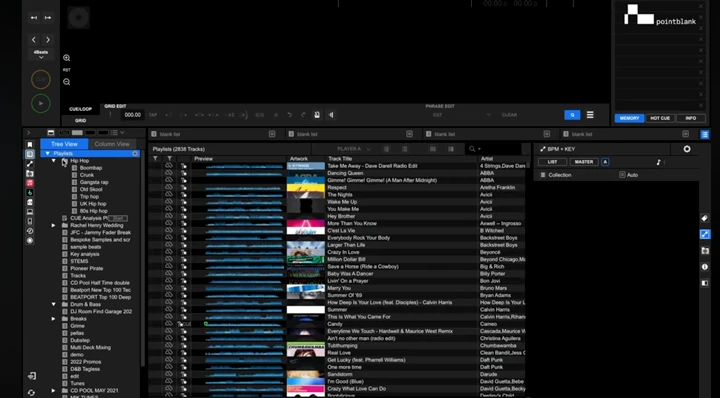
How to Use Cue Points and Loops in rekordbox

In this video, pointblank music school explore the powerful cue and loop tools inside rekordbox – perfect for planning out your tracks, improving transitions, and avoiding surprises during your sets.

You’ll learn how to:

  • Set and save cue points (with or without quantize)
  • Use the Memory function to store up to 10 cues or loops
  • Navigate cue points using Call buttons
  • Create auto and manual loops
  • Set active loops that trigger during playback
  • Enable Intelligent Cue Creation for automatic cue point generation
  • Label and organise your cues and loops for faster navigation

Whether you’re building performance routines or just staying organised, mastering cue and loop features in rekordbox can save time and level up your mixing workflow.

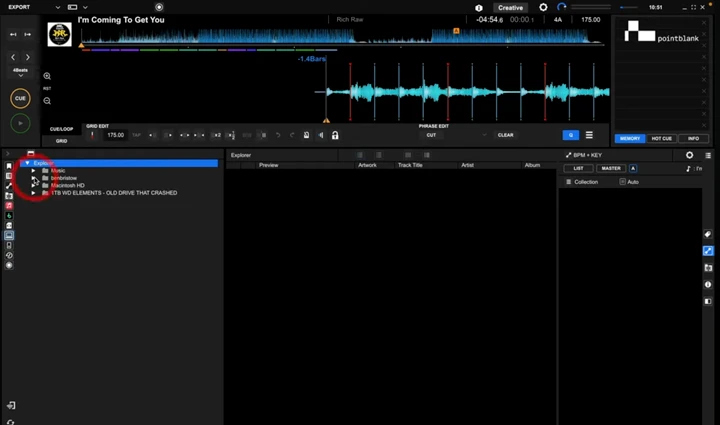
How to Analyse BPM and Fix Beat Grids in rekordbox

Want tighter loops, more accurate cue points, and better sync across your sets? In this video, pointblank music school walks through how to properly analyse music in rekordbox, fix beat grid alignment, and adjust tempo errors – so your tracks are ready to perform.

You’ll learn how to:

  • Import and analyse tracks by genre
  • Set the correct BPM range for analysis
  • Manually adjust beat grids using Grid Edit Mode
  • Use tools like double/half tempo, nudge, and reset downbeat
  • Identify when to use normal vs dynamic analysis modes
  • Lock sections of a track when the tempo changes
  • Avoid sync issues when exporting to CDJs or all-in-one units

Plus, we explain common mistakes to avoid, such as misaligned markers or inaccurate BPM values caused by incorrect settings – and show you how to fix them quickly.

Tip: It’s always best to get your beat grids right before you export to a USB or SD device, since editing options are limited once you’re on the decks.

pointblank music school: beat grid varying tempo

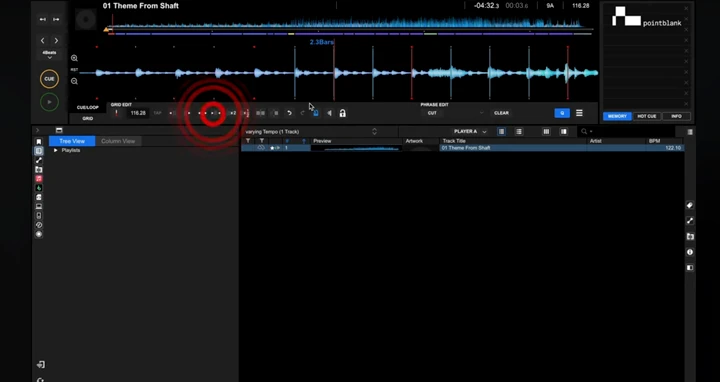
How to Adjust Beat Grids for Variable Tempo Tracks in rekordbox

Some tracks weren’t made with DJs in mind - fluctuating tempos, live drummers, or old recordings can throw off your beat grid. In this lesson, pointblank music school show you how to manually adjust the beat grid in rekordbox to better fit tracks with variable BPMs.

Learn how to:

  • Reanalyse a track using Dynamic Mode
  • Use the metronome to check beat alignment
  • Lock and adjust grid markers when the tempo drifts
  • Manually stretch or shrink intervals between grid lines
  • Decide when it’s worth doing this in your workflow

This approach is ideal if you plan to loop or perform with variable-tempo tracks and want everything tight – but be warned, it’s time-consuming. We’ll help you decide when it’s worth the effort

pointblank music school: How to export using rekordbox

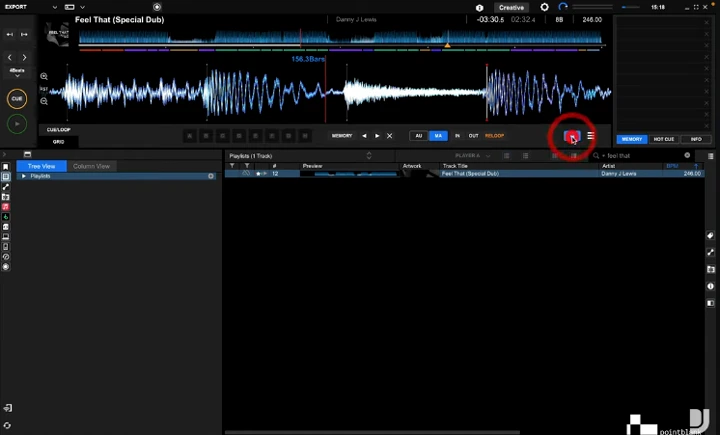
How to Export Tracks and Playlists from rekordbox to USB or External Devices

In this video, we walk you through the different ways to export your music from rekordbox to external drives – whether you’re prepping for a club gig, festival, or just backing up your library.

You’ll learn how to:

  • Export individual tracks, playlists, or entire folders
  • Drag and drop playlists to your external drive
  • Create playlists directly on your USB or SD card
  • Use Sync Manager (with important cautions!)
  • Ensure your cue points and beat grids stay synced
  • Avoid common mistakes that could wipe your playlists

Whether you prefer a manual or automated approach, this guide will help you choose the right export method for your DJ workflow – and make sure your music shows up where it’s supposed to.

Always double-check your device before heading to the booth!

リンクをコピーしました